Free
A$0
Free forever
Browse the world's public Wi-Fi map and keep your own private notebook.
- Live map of public Wi-Fi places
- Basic catalogue updates
- Private notebook, free forever
Public Wi-Fi map + iPhone app
Browse public Wi-Fi spots on a live world map, then keep your own networks in a private notebook that stays on your phone.
WiFi Companion is coming to the App Store.
Live map
Every pin comes from OpenStreetMap, the open map volunteers around the world keep updating.
445,446 places · OpenStreetMap, 6 Oct 2026
Unfolding the map…
Pins show the access each place reports: free, customers only, or not specified.
How it works
Search the map or use your location to see public Wi-Fi places already mapped nearby.
See the network name, access type and where the listing came from before you go.
Note the networks you actually use in your own private notebook, right on your phone.
My networks
On this iPhonePrivate notebook
Save network names, passwords and notes for places you actually use. Everything stays on your phone, held in iOS Keychain. It never gets uploaded, shared or synced to another device.
PlusOffline regions
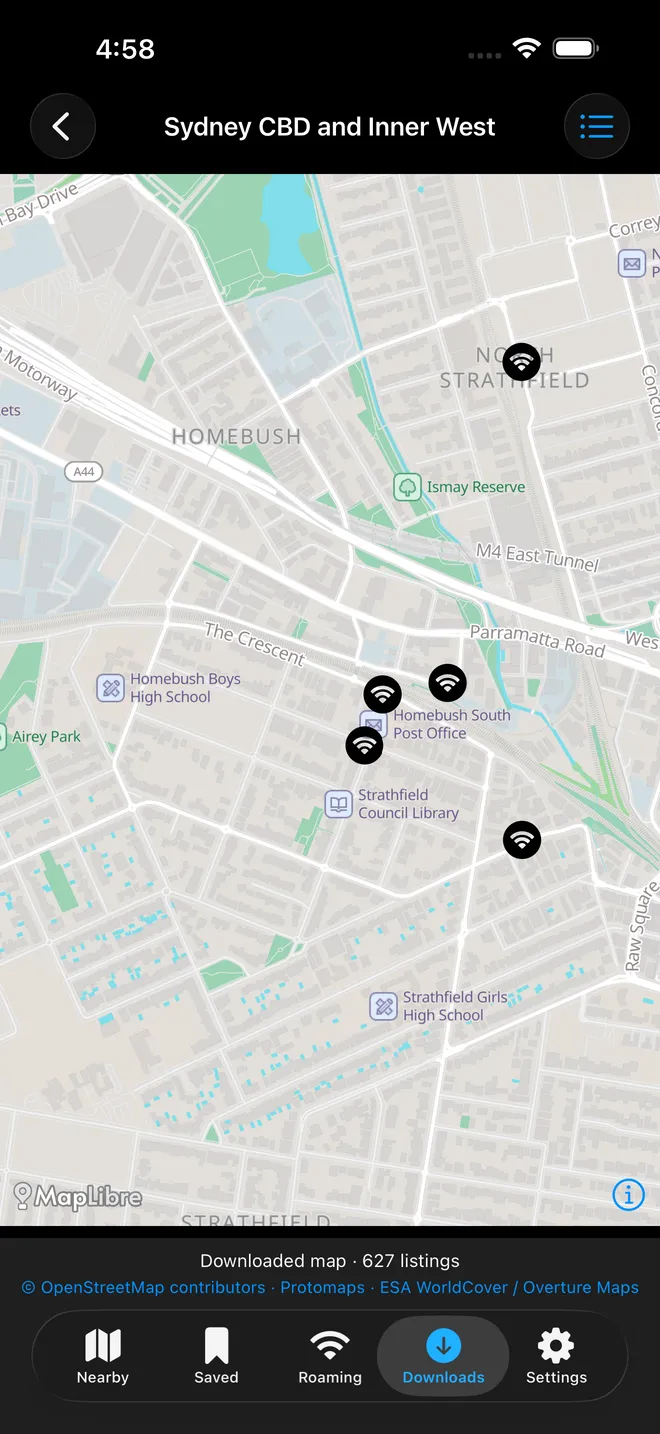
Plus lets you download a complete offline region: the street map and the Wi-Fi listings already in it. Once it is downloaded, you can browse with no mobile data at all. It stays on your phone even if Plus ends.
Sydney · CBD, Inner West and Homebush
First offline region · 28 MB
Links to websites and online directions still need an internet connection.
Pricing
Browsing the map is free. Plus adds offline regions you can use with no connection at all.
A$0
Free forever
Browse the world's public Wi-Fi map and keep your own private notebook.
A$7.99/ week
3-day free trial for eligible new subscribers
Download a complete offline region and browse it with no mobile data.
Coming to the App Store
A$49.99/ year
About A$0.96 a week, billed yearly
The same offline map access, paid once a year instead of every week.
Coming to the App Store
Prices shown in Australian dollars. The App Store shows your local price and any trial eligibility before you subscribe. Cancel anytime in your Apple account settings.
Questions
Not yet. WiFi Companion is being tested privately and is coming to the App Store. This website's live map is open to everyone right now, no app or sign-up required.
No. Each listing shows what its source recorded: a network name if one is tagged, and an access note such as free or customers only. It is a source observation, not a tested connection, and we do not hand out passwords.
The public map comes from OpenStreetMap, built and kept up to date by volunteers around the world under the Open Database Licence. We show what is tagged there. We do not independently test each spot.
Yes. It is stored on your iPhone in iOS Keychain, separate from the public map. It is never uploaded, never shared, and does not sync between devices.
Sydney is the first offline region: CBD, Inner West and Homebush, 28 MB. It is the only one available right now.
Regions you have already downloaded stay on your phone. Your private notebook stays free forever either way. You just will not be able to download new offline regions until you resubscribe.